Samsung how to delete pre-install apps

Hi guys, it is my first article in English. But I hope that will be more useful for information which I would like to share with our big World :)
So, long-short story in 2018 I bought a TV, awesome 43-inch 4k Samsung NU7400 TV. Even wrote a library for remote to use it and develop few apps for it. And the knowledge to help to me how to resolve this and this and this issue and a lot another posts about the issue 🤦♂️ - you can't to update TV because you don't have enough a memory, but in the same time you can to delete any applications from TV - because.. Because Samsung is bad guys. That's why.
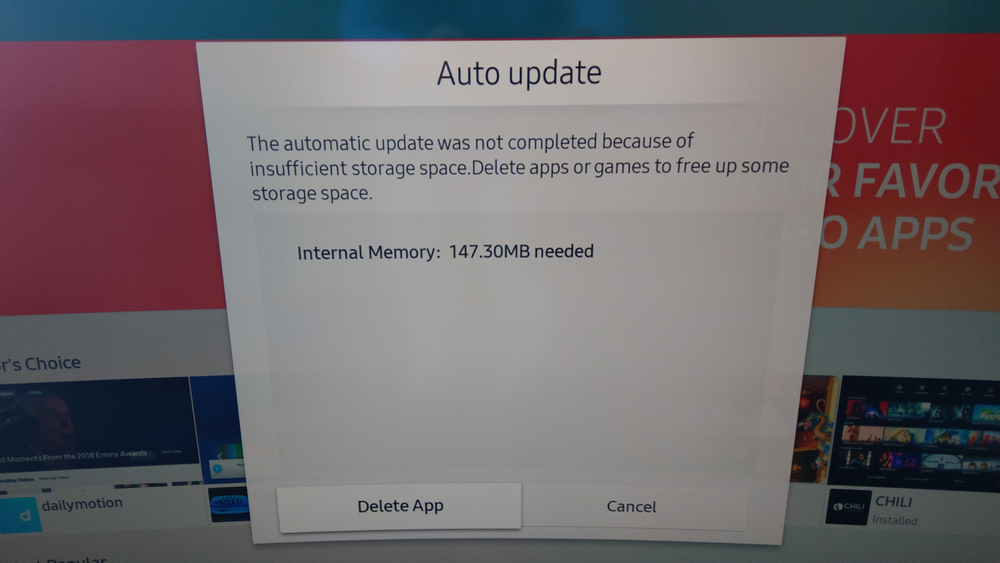
Anyway I created a tool, and instruction what need to do to DELETE FOREVER (maybe) pre-installed and unused apps at all. And save your memory.
You can download it for
Current version: 1.1.1
 Toxblh
One more thing...
When choosing a first cosplay outfit, it is worth considering how details related to cosplay costume sets will affect the complete look. When comparing costume options, it helps to assess details related to cosplay props together with fit and fabric. To organise preparations involving details related to festival costumes, character costumes for portrait photography can help narrow the options for a specific purpose. For an outfit that feels convincing, it is useful to check details related to cosplay props against the wearer's own needs.
After all that manipulation all pre-install apps could be returned with a new update or just in time. I'll recommend install Pi-Hole where you can to do it, if you want to block all requests from your TV to Samsung servers. The app also will block all Samsung services you even can't to install new apps, but OS will be possible to update, and better to install all apps what you want to use before turn on Pi-Hole, after that just to delete all apps from TV and enjoy. Like a small bonus from Pi-Hole - that will block all Ads in your TV. But YouTube and other internet services will works fine.
I liked Samsung TV as hardware, but I don't like then you bought smart TV but receive smart billboard.
Any questions you can ask in the comments below